










Model each bookable service with realistic duration, price, preparation time and qualified professionals.
Before you start
- Confirm the Calendar currency.
- Know the real time occupied before, during and after the service.
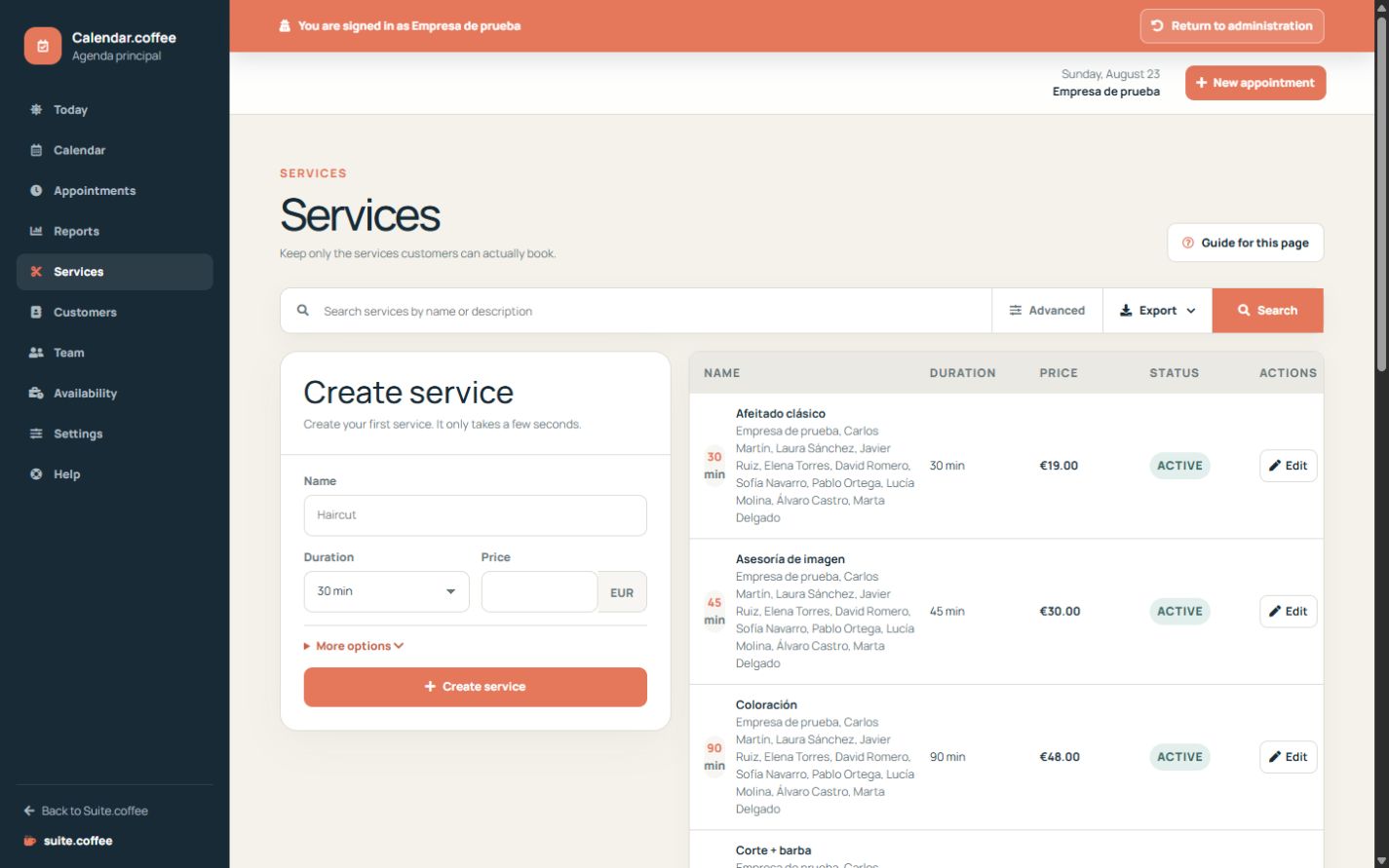
Describe a clear service
Use a customer-facing name and description, then set the real duration and price. The currency comes from Calendar settings and does not convert existing amounts when changed.
Control online booking
Only enable online booking when the service is ready to receive public appointments. Assign at least one active professional who can provide it.
Use buffers deliberately
Add a service buffer when preparation or clean-up occupies time around the appointment. Calendar includes it when calculating available slots.
Step by step
- Open Services and search first to avoid duplicates.
- Enter a clear public name and useful description.
- Set duration, price and any preparation or clean-up buffer.
- Assign every professional who can deliver the service.
- Enable the service and online booking only when it is ready.
- Open the public booking page and verify how it appears.
Final check
- Duration and buffer reserve enough time.
- At least one active professional is assigned.
- Inactive or internal services are not publicly bookable.
Tip: Prefer a small catalogue of clear services. Overlapping variants make booking harder and fragment reports.